SOLISCADA V7.70.00.01 is now available. Important Notice: License Key reactivation is required after updating. Learn what's new and update now→
 SOLISCADA at a Glance
 Architecture
 Why Choose Us
 Essential Functionalities
 Beyond the Basics
 System Recommendations
 FAQs
FAQs Oil & Gas
 Water Industry
 Food & Pharmaceuticals
 Marine
 Mining & Metal
 Manufacturing
 Electric Utilities
 Municipal Industry
SOLISCADA's Memory driver provides two types of system memory tags: non-simulated tags and simulated tags. They can be used for data simulation, temporary variable storage, and more. Below we explain how to best use tags created under the Memory driver.
Non-simulated tags
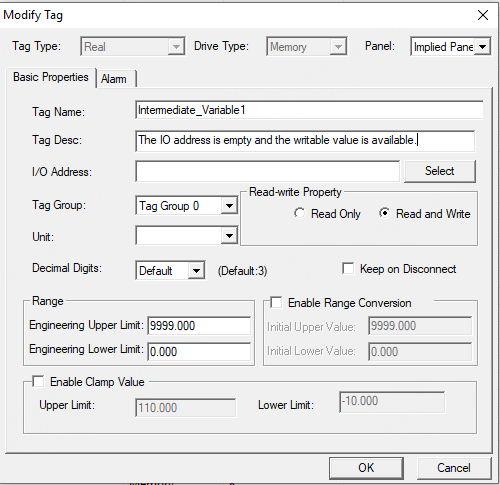
Non-simulated memory tags do not change automatically. They support various data types and can be read and written. When you add these tags in the database management tool, the I/O address must be left empty.
Simulated tags
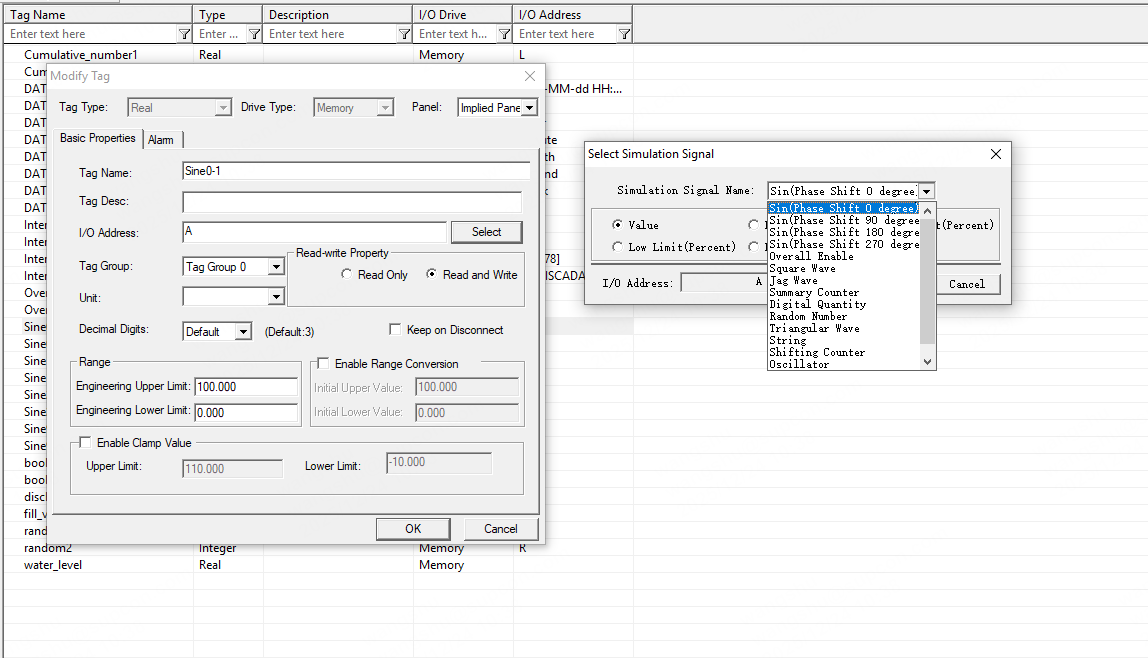
Simulated tags change automatically according to their respective patterns. When configuring simulated tags in the database management tool, the I/O address to set can be referenced directly from I/O Driver Manual (Page 2-4). For example: to set up a sine variable with a phase shift of 0°, set the tag's I/O address to A.
1. How to add the driver and tags
1.1 Add the driver
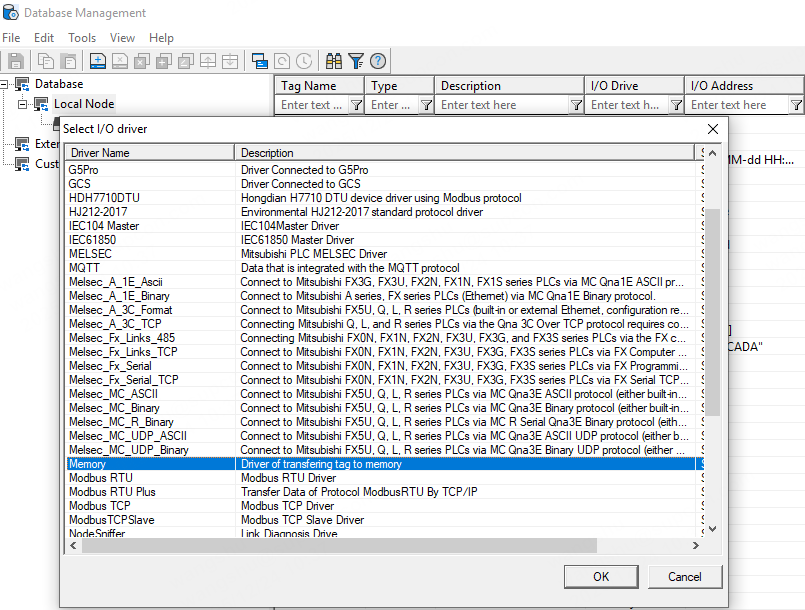
Add a Memory driver under Database → Local Node.
1.2 Add tags
Right-click the driver and choose Add Tag.
Select the appropriate tag type, then fill in the tag name, tag description, I/O address, range, and other properties.
Except for accumulators and date/time tags, the default initial value range for simulated signals is generally 0–100.
2. Application examples
Tags added under the Memory driver can use simulated signal names as their I/O address for simple data simulation. However, this simulated data normally jumps only within the 0–100 range, which can be unsuitable for some special tag simulations.
For example, voltage. Single-phase voltage is typically around 220 V and line voltage around 380 V—clearly a 0–100 simulated range is not adequate.
2.1 Simulated tags: temperature, pressure, level signal simulation
Use the range scaling (span conversion) function to simulate data with a special engineering range.
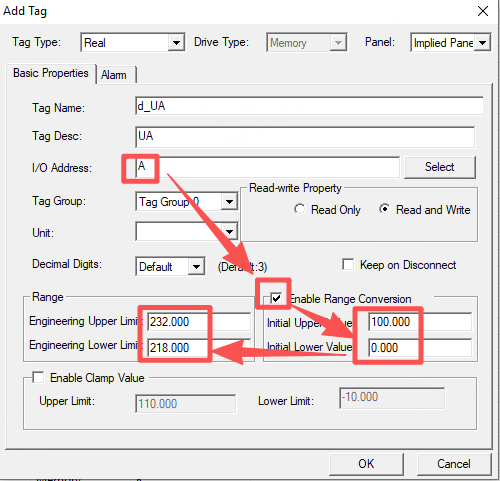
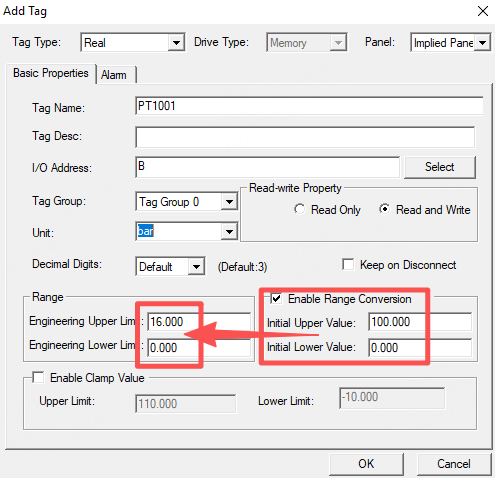
As shown in the figure (original), when range scaling is enabled the raw simulated data still increments/decrements within 0–100 (you can also use I/O address R for random numbers), but the displayed engineering value is mapped by the range scaling and will be simulated, for example, between 218.00–232.00. This way the simulated data better matches real-world values.
***Range scaling notes***
Initial value lower/upper limits: the simulated tag’s lower/upper limits (generally 0–100).
Engineering value lower/upper limits: the limits used for real-time data, historical data, and screen display. Fill these with the required simulation range — e.g., voltage between 218.00–232.00 V.
2.2 Non-simulated tags: temporary variable storage and triggers
During runtime, multiple tags may participate in secondary calculations. Adding Memory driver tags whose I/O address is empty lets you temporarily store and pass data between calculations.
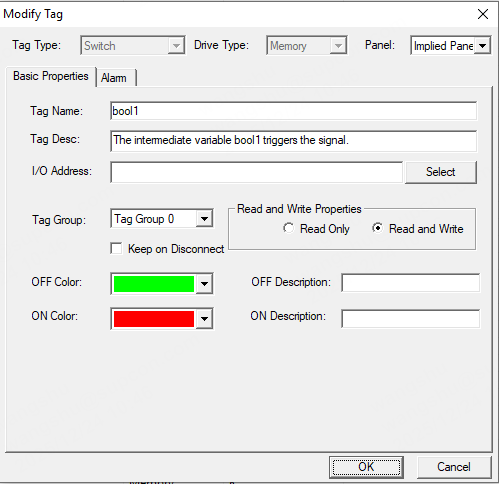
For scripts or actions that need to be triggered by an operator toggling a digital state via a button, you can also use Memory driver digital (boolean) tags as the trigger points.
3. Where to get the Memory driver demo
Demo files: https://drive.google.com/file/d/1TMBGFcV94PQl60WvNml0w_YX_OnGiSTD/view?usp=drive_link
Demo run guide (step-by-step): https://www.soliscada.com/about/news/748686070739013