SOLISCADA V7.70.00.01 is now available. Important Notice: License Key reactivation is required after updating. Learn what's new and update now→
 SOLISCADA at a Glance
 Architecture
 Why Choose Us
 Essential Functionalities
 Beyond the Basics
 System Recommendations
 FAQs
FAQs Oil & Gas
 Water Industry
 Food & Pharmaceuticals
 Marine
 Mining & Metal
 Manufacturing
 Electric Utilities
 Municipal Industry
Demo projects are the quickest way to learn SOLISCADA features and workflows. This guide explains where to download demo packages, how to restore them into your SOLISCADA environment, how to publish and run a demo project, and common troubleshooting tips to get you up and running fast.
1. Where to get the Demo packages
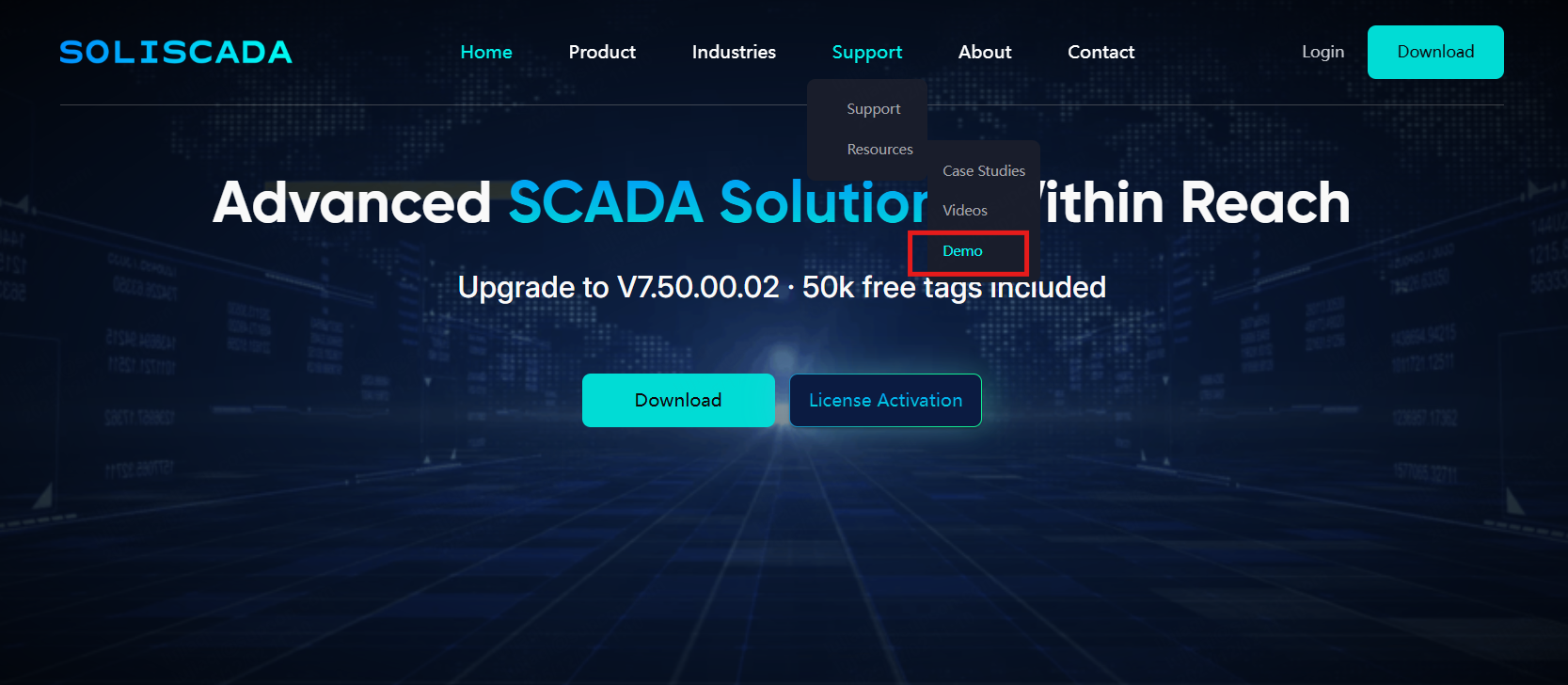
(1) Official website: www.soliscada.com
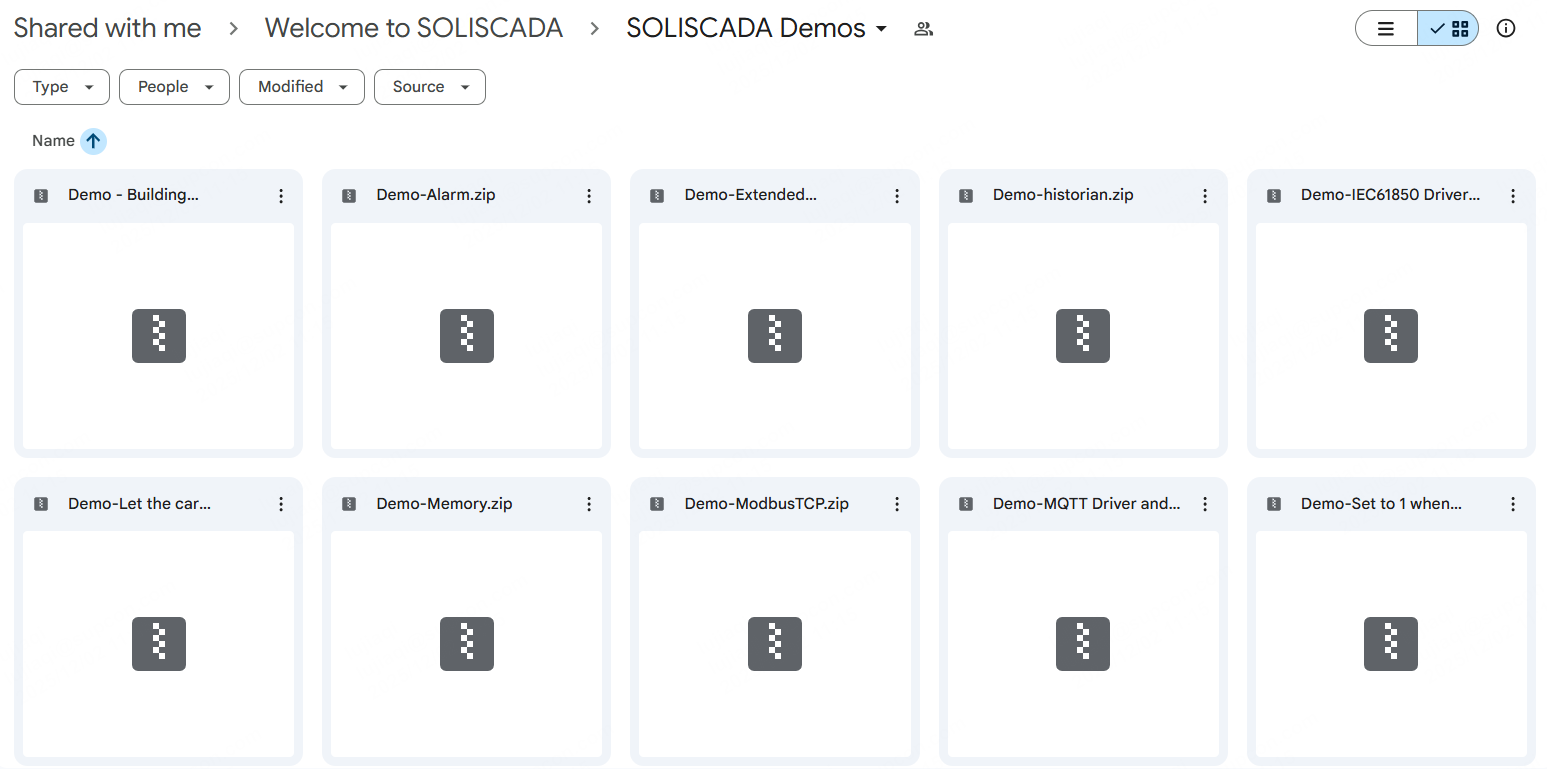
(2) Google Drive (demo packages): https://drive.google.com/drive/folders/12GYLLH-yD6sIs2bWHQWxsxB9ievnXb2m?usp=sharing
2. System environment
OS: Windows 10 Pro/Enterprise or Windows Server 2019 (recommended).
Hardware: CPU 4 cores or more; RAM 8 GB or more.
Software: Download the latest SOLISCADA installer from the website. Disable antivirus/firewall or add the installation folder to white-list before installation. Run the installer as administrator.
Tip for upgrades: If you are performing an overwrite (upgrade), keep the same project path used previously to avoid path issues.
3. How to restore a demo project
A. Open the SOLISCADA Project Management.
B. Click Restore. A file selection dialog appears.
C. Select the downloaded demo project file (zip format) and click Open.
a) If there is no existing folder with the same project name under your project path (example: D:\SUPCON_PROJECT\), a restore progress bar appears; when finished, you will see a success prompt. The project is now ready to reuse or modify.
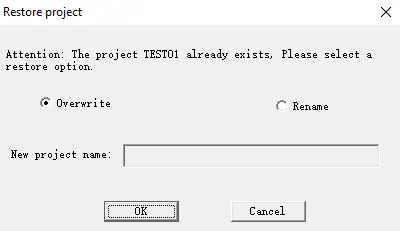
b) If a folder with the same name already exists under the project path, the software will prompt whether to overwrite. Choose according to your needs.
Common “Invalid zip” problem & fix
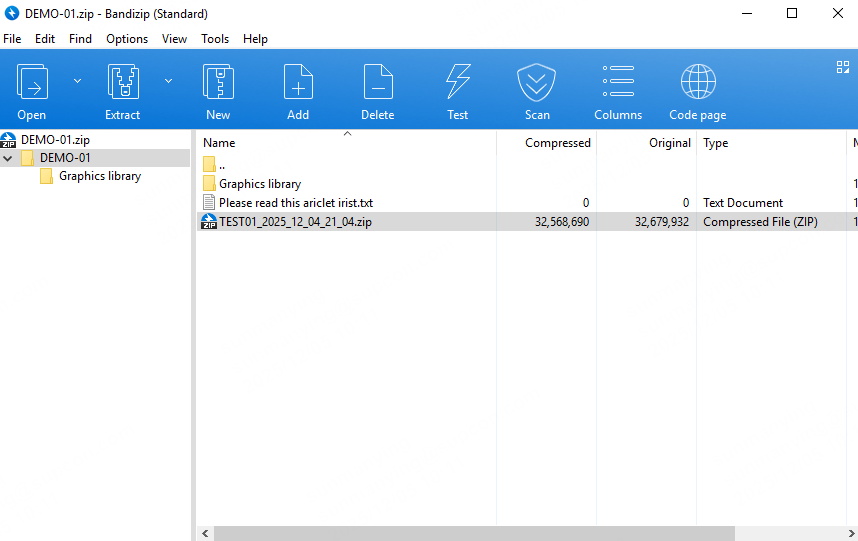
If, after selecting the downloaded zip, you see an “Illegal zip project!” error, check whether the downloaded archive contains extra files or an extra folder level.
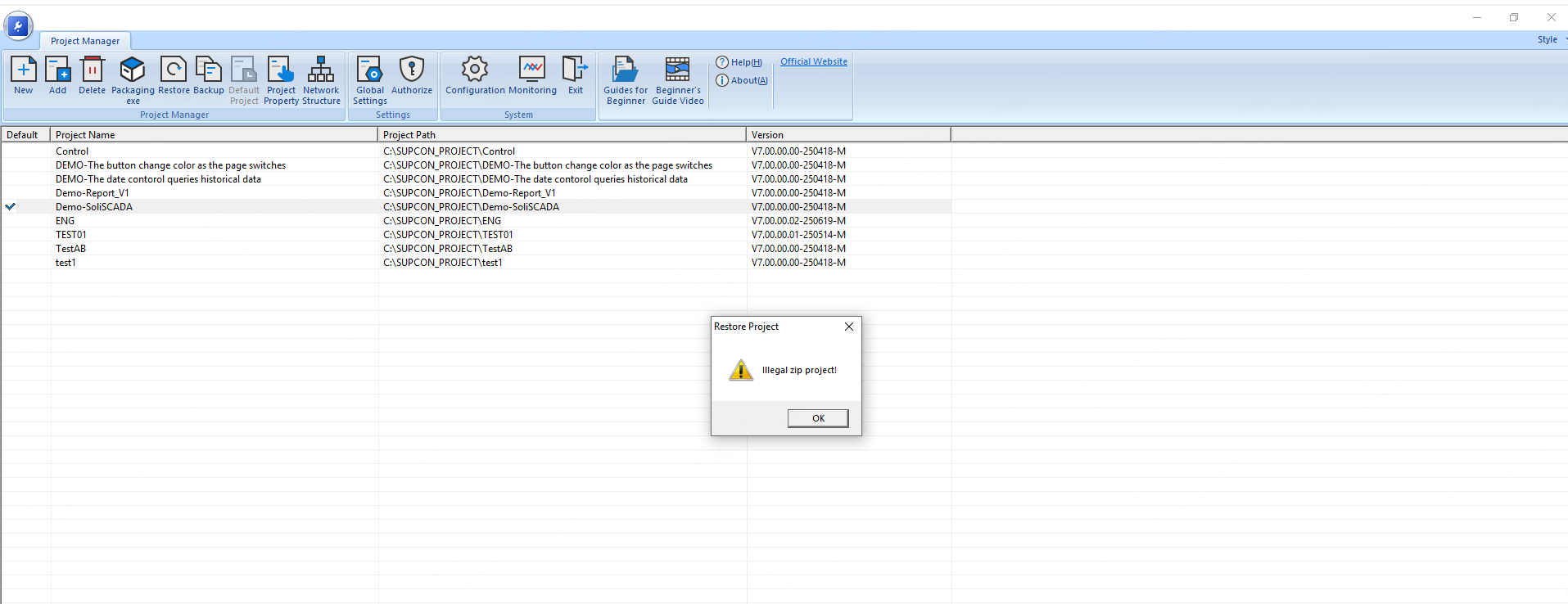
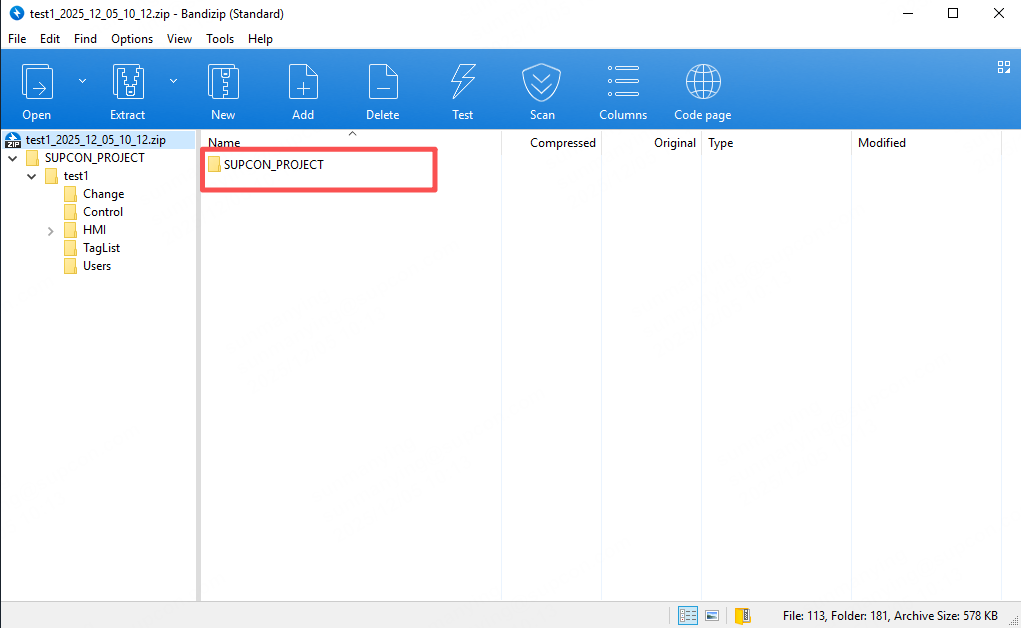
Fix: Extract the downloaded archive first and inspect its contents. A proper demo zip should contain a single <SUPCON_PROJECT> folder at the root. If the zip contains extra wrapper files or multiple top-level items, repackage or use the correct internal .zip file inside the downloaded folder, then restore that zip. Some demo packages include images or other files alongside the zip—extract and locate the actual project zip before restoring.
4. Open and develop the restored demo
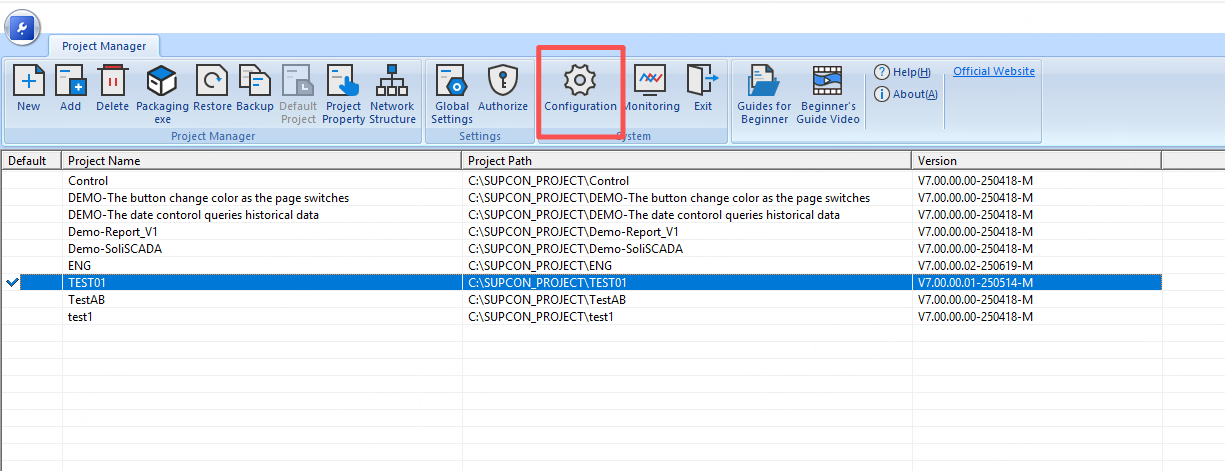
A. After successful restore, select the restored project and set it as the default project.
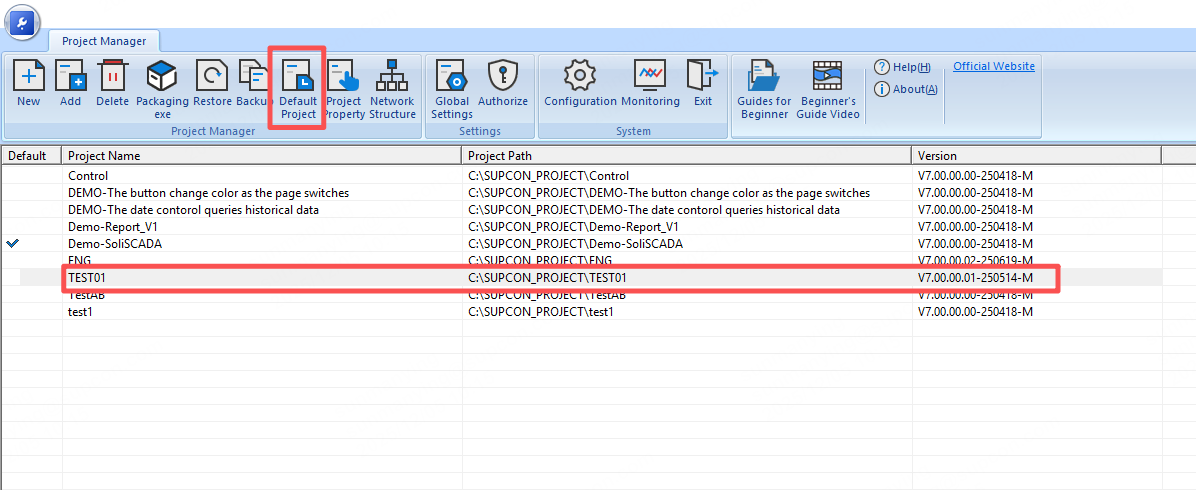
B. Click Configuration to enter the project configuration/development page.
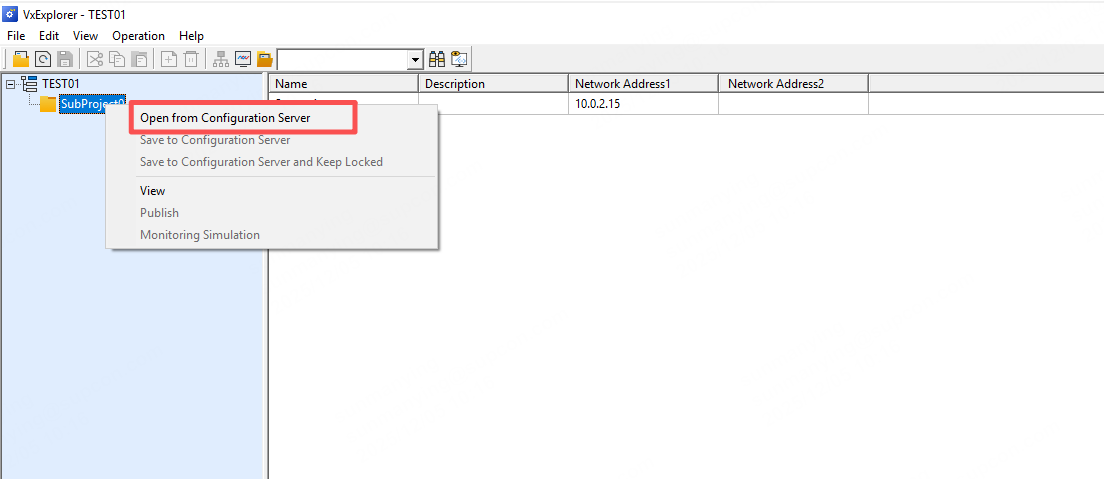
C. Locate Subproject 0. Right-click → Open from Configuration Server.
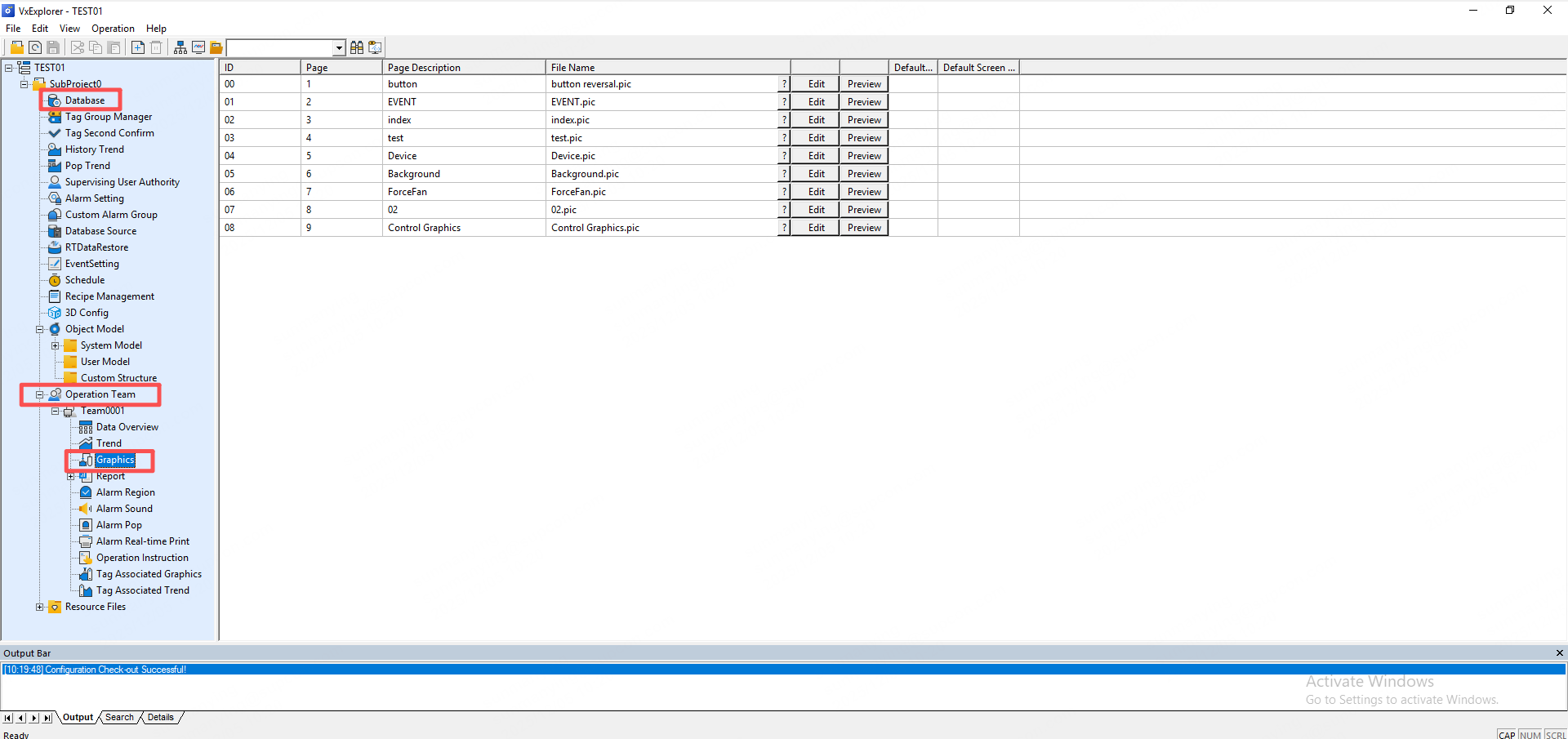
D. You can then edit screens, change PLC database mappings, or adjust graphics as needed.
5. Publish the demo and start monitoring
A. Right-click Subproject 0 → Publish, or use the menu bar → Publish.
B. Choose Online Publish All or Offline Publish.
C. After publishing is finished, start monitoring. Confirm any prompts.
D. When monitoring starts, the default Observer account has view-only permissions (no operation rights). To perform operations: right-click → User Login and log in as Admin / admin (username: Admin, password: admin). After logging in you can operate screens (flip pages, control elements), and exit the software.