SOLISCADA V7.70.00.01 is now available. Important Notice: License Key reactivation is required after updating. Learn what's new and update now→
 SOLISCADA at a Glance
 Architecture
 Why Choose Us
 Essential Functionalities
 Beyond the Basics
 System Recommendations
 FAQs
FAQs Oil & Gas
 Water Industry
 Food & Pharmaceuticals
 Marine
 Mining & Metal
 Manufacturing
 Electric Utilities
 Municipal Industry
Industrial automation systems connect a wide variety of devices such as PLCs, RTUs, sensors, drives and I/O modules from many different vendors. Driver protocols are the rules that let these devices "speak" to each other and to SCADA software.

1. What is a driver protocol?
A driver protocol is a standardized set of rules for exchanging data between devices and software. It defines how devices identify data points (tags), how they package and send values, how commands are encoded and acknowledged, and how errors are detected and handled. Think of a protocol as a shared language: when both sides follow the same grammar, information flows accurately and predictably.
2. What can driver protocols achieve?
A. Connect devices and enable real-time communication
Driver protocols are the bridge that connects field devices to a SCADA system. They make it possible to poll values, receive events, and push control commands in real time — the foundation of automated production.
B. Ensure data accuracy and reliability
Standardized message formats, checksums and error handling reduce data corruption and allow deterministic handling of communication faults, so operators and engineers can trust the values shown in dashboards and alarms.
C. Promote interoperability and system integration
Because many vendors implement the same protocols, devices from different manufacturers can coexist in the same network. This interoperability avoids vendor lock in and makes upgrades or expansions less disruptive.
3. How protocols are used in SCADA?
In SCADA applications, driver protocols enable SOLISCADA to read live data from devices and to send control instructions. For example, if a process variable drifts outside its setpoint, SOLISCADA can issue a command (via the device’s protocol) to the responsible PLC; the PLC parses the command, executes the action and returns status. All of this happens according to the protocol rules.
Beyond control, protocols also support health monitoring: automatic reconnection, retransmission requests and diagnostic flags let the SCADA system detect and respond to communication problems quickly.
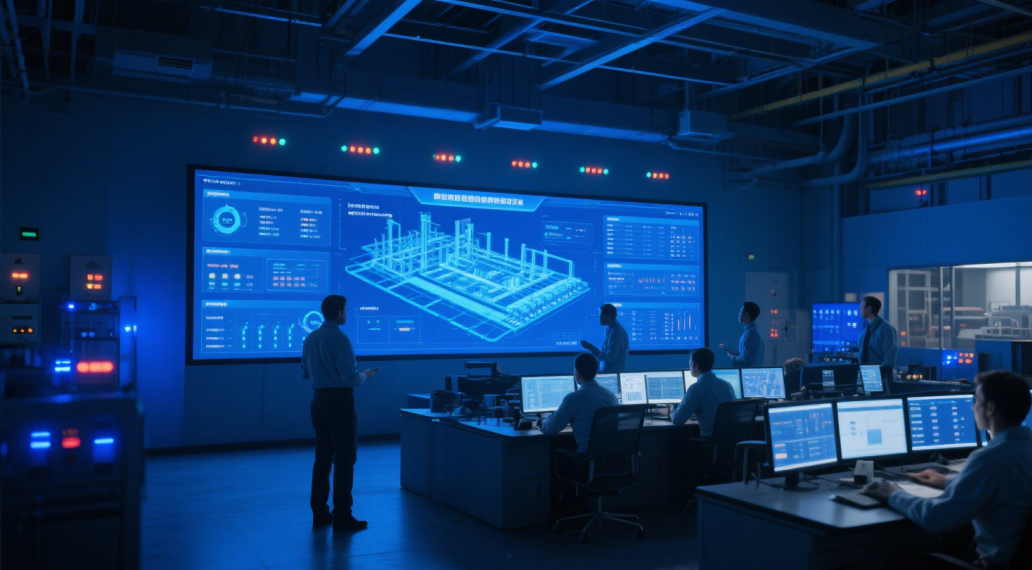
4. How SOLISCADA makes device integration easier?
SOLISCADA is designed with broad protocol compatibility and engineering convenience in mind. Key practical benefits include:
Wide protocol support: Connect a diverse device landscape without replacing field hardware.
Flexible tag mapping: Map protocol registers and data types to SOLISCADA tags quickly, including support for custom scaling, offsets and data conversion.
Robust error handling: Auto reconnect, retry logic and clear diagnostics reduce downtime and accelerate troubleshooting.
Seamless expansion: As your plant grows or changes, SOLISCADA’s protocol coverage helps you integrate new devices with minimal rework.
5. Common driver protocols supported by SOLISCADA
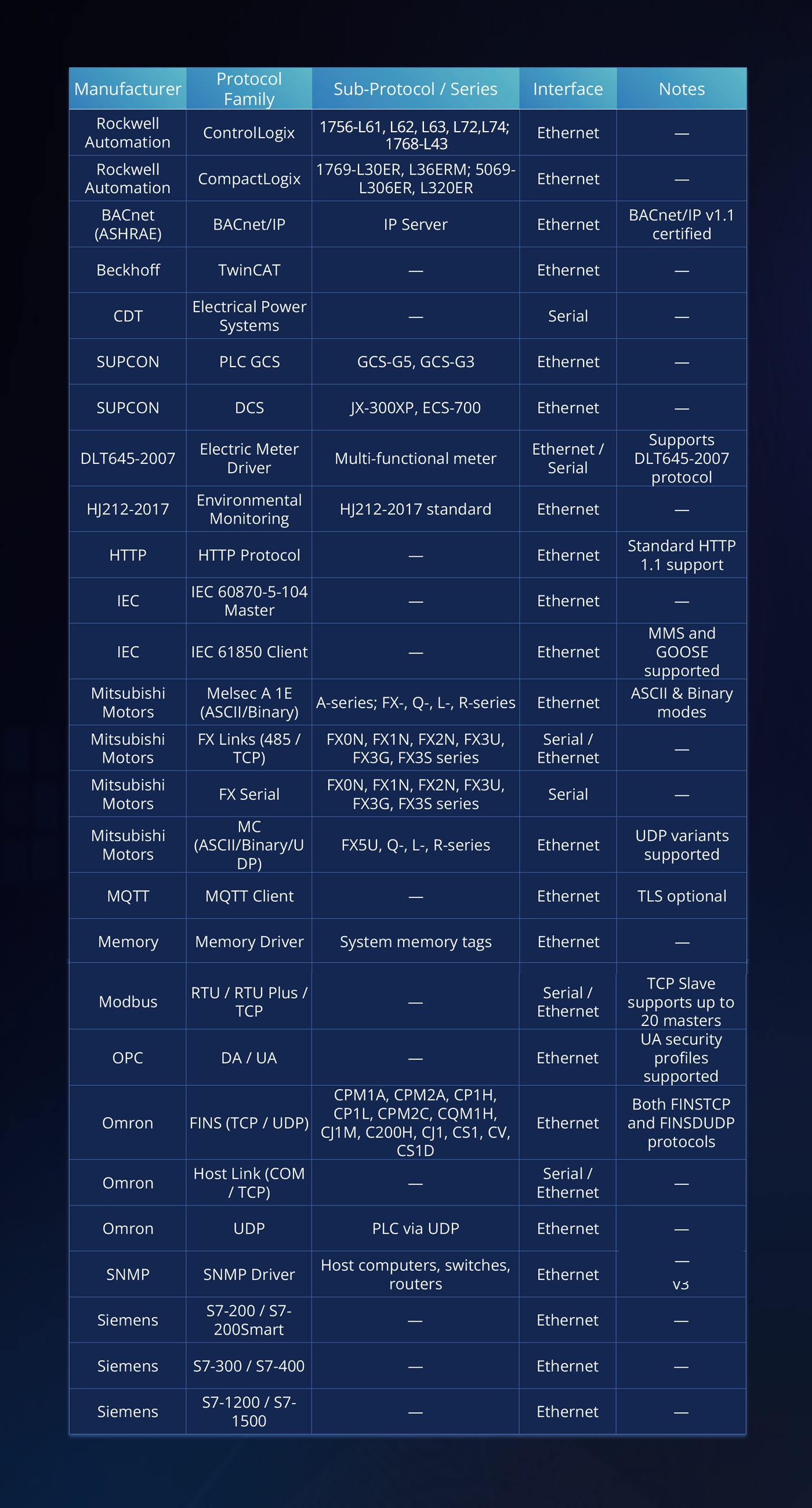
Driver protocols are the backbone of SCADA communication. By supporting a wide protocol set, providing engineering-friendly mapping tools, and offering resilient communication features and scalable historian options, SOLISCADA helps you focus on operational excellence instead of device compatibility headaches.